Day 3: Ingestion Architecture — Communicating with Web APIs and Extracting Raw Content
Over the past two days, we isolated our developer workspace and mastered the data transformation pipelines within Pandas. Now, we move to the final foundational step of Phase 1 (Week 1–2): Python + Data.
As an AI engineer building advanced Retrieval-Augmented Generation (RAG) loops or multi-agent pipelines, your models cannot survive strictly on pre-packaged, clean local CSV files. They require a steady stream of live data fetched programmatically from external environments.
Today, we dive into the protocols that connect your local Python engine to the outside world: executing network transactions via the Requests library and writing extraction layers with BeautifulSoup to gather unstructured web text.
1. Network Transactions: Managing HTTP Requests
To ingest live documentation or feed data into remote LLM cloud endpoints, your system must speak the standard language of the web. The Requests library abstracts complex network socket management into predictable, human-readable Python commands.
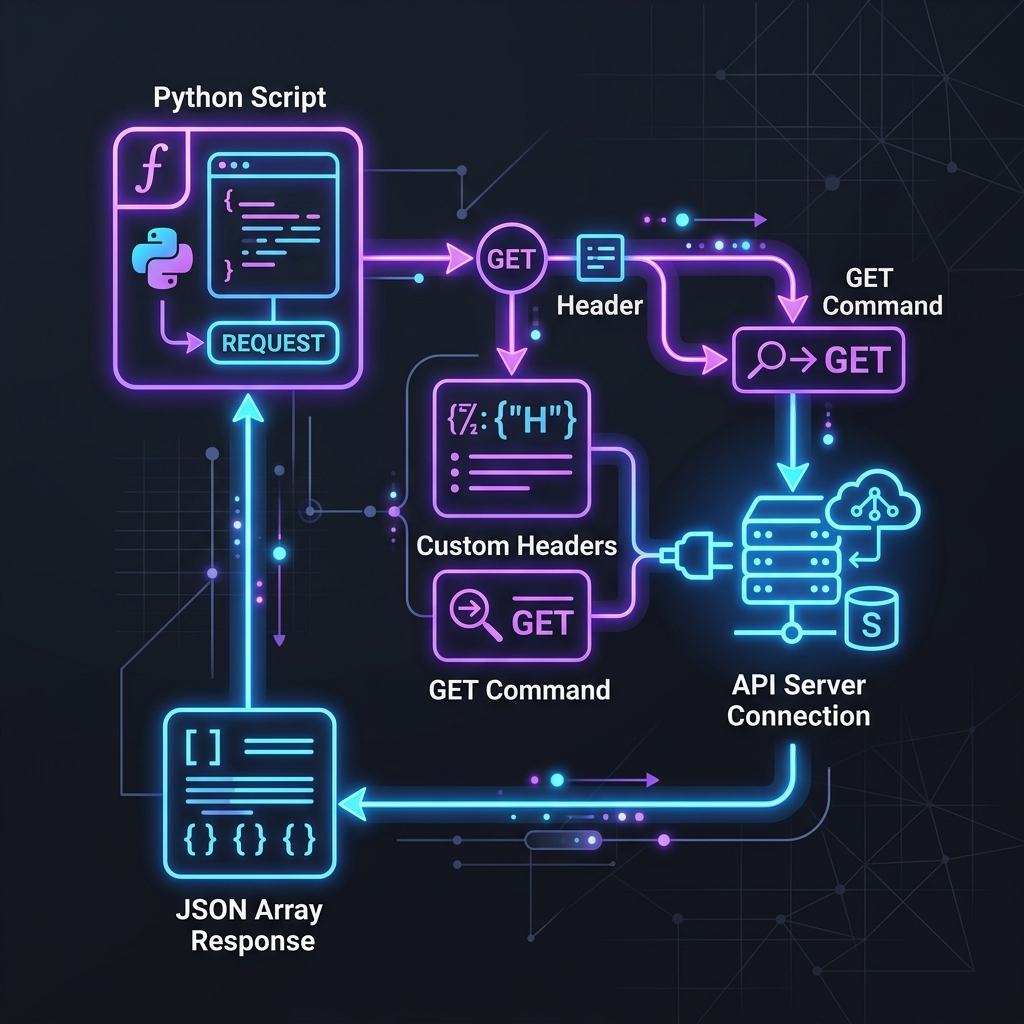
When your script dispatches a request, the external server returns an explicit response matrix. Your extraction logic must triage this matrix safely:
- Status Codes: Verify execution success bounds (200 OK) before allocating memory for processing. Handle client-side disruptions (404 Not Found) or gateway structural errors (500 Internal Server Error) using try-except safety locks.
- JSON Serialization: Modern data APIs communicate entirely through nested JSON arrays. Use
.json()to automatically translate response byte streams into native Python dictionary objects. - Headers and Authentication: Pass structural metadata, User-Agent identification tags, and private bearer tokens within your network payloads to mimic regular browser signatures and prevent immediate IP rate-limiting.
2. Unstructured Extraction: Parsing Data with BeautifulSoup
Not all information is packaged neatly into programmatic JSON API channels. The vast majority of the documentation, technical blogs, and legacy codebase files your AI models need to ingest exist as raw, unstructured HTML pages. BeautifulSoup acts as your structural scalpel—compiling messy, text-heavy code trees into traversable node matrices.
To build clean web content parsers, you must master targeting explicit document structures:
soup.find(): Safely extracts the first singular instance of an HTML node containing target attributes or ID definitions.soup.find_all(): Iterates through the entire DOM layout to fetch list arrays of matching elements (e.g., gathering every paragraph element or documentation link block on a page).- CSS Selectors (
.select()): Utilize powerful syntax rules to target highly specific multi-layered data paths (e.g.,soup.select('div.content_wrapper > ul.resource_list > li.item')).
The Cleaning Imperative: Raw scraped text contains substantial formatting noise—including trailing whitespaces, script elements, and stray tag fragments. Always chain .get_text(strip=True) to ensure your text payload is pristine before pass-through operations.
Core Task: The Documentation Harvester Script
To pass Day 3, you will combine network interaction and structural content parsing into a single automated script.
Create a Python script utilizing Requests and BeautifulSoup that executes the following lifecycle:
- Dispatch a secure HTTP GET request to a public tech documentation endpoint or sandbox blog page.
- Intercept potential timeout failures and evaluate status codes to ensure pipeline integrity.
- Parse the raw returned HTML DOM tree into a structured text layout.
- Programmatically isolate and pull only the primary article text blocks (ignoring headers, footers, and sidebar navigation menus).
- Append the sanitized content string into a clean data array, then log your operation milestone via Git.
Key Takeaways for Day 3
| Engineering Focus | Production Implementation Rule | The Danger Zone |
|---|---|---|
| API Compliance | Explicitly declare network timeouts (timeout=10) |
Dispatched requests hanging indefinitely, locking system threads |
| Parsing Safety | Isolate specific parent classes or custom DOM elements | Grabbing the entire page body indiscriminately, flooding token inputs with noise |
| Rate Management | Inject valid browser identity tags (headers={'User-Agent': '...'}) |
Spamming external servers with unlabelled requests, causing immediate IP bans |
Conclusion: Bridging the Intelligence Pipeline
Mastering Requests and BeautifulSoup marks the complete graduation of your foundational Python track. You are no longer constrained by local files; your code can now harvest, parse, clean, and organize any source of documentation or unstructured information across the live web. This sets the precise ingestion blueprint needed as we pivot toward machine learning algorithms and retrieval networks.